
Color, pictures and relief
Fills
fill colors tiles that have no content (in the SVG and canvas renderers, every tile without an image). It takes:
- A color: every tile the same.
- A palette: an array of colors, given so neighboring tiles always differ.
- A function:
(cell, layout) => color.
Core has ready-made functions:
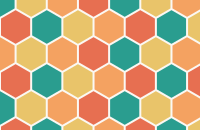
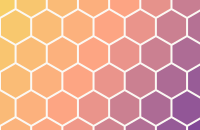
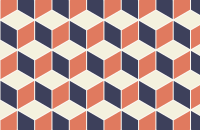
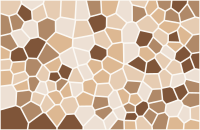
import { gradientFill, paletteFill, protoTileFill, randomFill } from "@andamento/core";

fill={paletteFill(["#eee", "#ddd", "#ccc"])}               // neighbors differ (same as passing the array)
fill={gradientFill(["#f6d365", "#fda085"], { angle: 45 })} // by position; also { shape: "radial" }
fill={protoTileFill(["#e7e5e4", "#d6d3d1"])}               // by kind of tile, e.g. herringbone's two directions
fill={randomFill(["#eee", "#ddd", "#ccc"], 42)} // random, but stable per tile id across resizes- Gradients take hex colors and blend in OKLab, so the middle doesn't turn gray.
angleis in degrees (0 runs left to right, 90 top to bottom), andshape: "radial"runs from the region's middle out to its corners. - Palettes are colored with
colorCells(layout, n), which gives neighbor-aware color indices. It's exported if you need the indices yourself. - Defaults:
defaultPalette(warm earth colors, the SVG default) andneutralPalette(soft grays, the HTML default for empty tiles) are exported from the renderers.
Mosaics
imageFill(pixels, options) colors each tile with the average color of a picture under it. Averages are taken in linear light, the way colors mix by eye. Add a palette and each tile snaps to the nearest of a set of colors, like choosing from a box of real tiles.
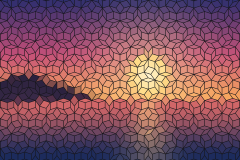
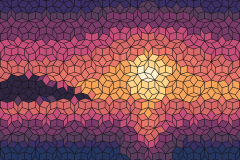
/** A mosaic: each tile the average color of a picture under it, snapped to a box of tile colors. */
export function mosaic() {
  const tileColors = ["#1d1b3a", "#3b2f63", "#7a3b69", "#c44f78", "#e8766b", "#f6a35c", "#ffd58a", "#fff1cf", "#30263f", "#5a3d5c", "#d66868", "#26355f"];
  const layout = createLayout({ region: { x: 0, y: 0, width: 240, height: 160 }, tiling: penrose({ size: 7 }), origin: { x: 120, y: 80 }, gap: 0.5 });
  return {
    "mosaic-average": renderToString(layout, { fill: imageFill(scenePixels()), background: "#141418" }),
    "mosaic-palette": renderToString(layout, { fill: imageFill(scenePixels(), { palette: tileColors }), background: "#141418" }),
  };
}
imageFill option | Default | |
|---|---|---|
fit | "cover" | How the picture is laid over the layout: "cover", "contain" or "stretch". |
palette | none | Snap each tile to the nearest of these colors. |
fallback | "#d6d3d1" | For tiles outside the picture. |
samples | 256 | Points sampled per tile. |
pixels is RGBA data ({ width, height, data }, e.g. a canvas ImageData). In a browser, loadImagePixels(url) reads an image's pixels; it must be same-origin, a data URL, or CORS-enabled. In React:
const fill = useImageFill("portrait.jpg", { palette: tileColors }); // undefined while loading
<SvgTileLayout options={options} fill={fill} />
Combine it with imageSize for small tiles where the picture has detail, or with flow for rows that follow its shapes.
One picture across all the tiles
backdrop shows one picture across the whole layout, each tile showing its own piece, with the gaps and cut-outs of the pattern in between.
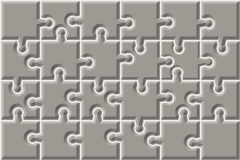
/** One picture across all the tiles: a jigsaw. */
export function backdrop() {
  const layout = createLayout({ region: { x: 0, y: 0, width: 240, height: 160 }, tiling: jigsaw({ size: 40, seed: 5 }), gap: 1.5 });
  return renderToString(layout, { backdrop: sceneImage(), background: "#f1ece4", relief: { shadow: 1 } });
}- HTML components:
backdropis an element, rendered in every tile and sized and positioned to the whole layout. Any element that fills its box works, andcoverStylecrops an image to cover the layout.- It sits behind each tile's content, so children appear on top and empty tiles show the picture instead of
fill. - Every tile holds its own copy: images load once, but a video would play out of sync in each tile.
- It sits behind each tile's content, so children appear on top and empty tiles show the picture instead of
- SVG:
<SvgTileLayout backdrop="mural.jpg">andrenderToString(layout, { backdrop })draw the image once, clipped to all the cells. - Other renderers:
backdropCss(cell, layout)gives the box to place inside each cell's element.
<TileLayout options={options} backdrop={<img src="mural.jpg" alt="" style={coverStyle} />} />Grout and relief
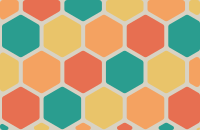
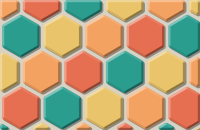
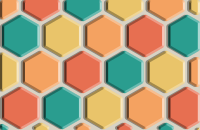
gap is the grout's width and background its color. In the HTML components background is any CSS background, so a texture works too. relief makes the tiles look raised:
- Bevel: a bevel runs round each tile's edges, drawn over its content. Faces turned towards the light are brightened and the others darkened.
- Any shape: it follows rounded corners, holes and non-convex shapes, and narrows on thin tiles.
- Shadow: set
shadowand each tile also casts a soft shadow into the grout, away from the light.
relief option | Default | |
|---|---|---|
bevel | 8% of a typical tile's size | Bevel width, in layout units. |
light | 315 (top left) | Where the light comes from, in degrees clockwise from the top. |
strength | 0.4 | Opacity of the strongest highlight and shade. |
shadow | 0 (none) | How far shadows fall into the grout. |
shadowBlur | shadow | |
shadowOpacity | 0.35 |
relief: true uses the defaults. It works the same in every renderer.
In core, bevelFacets(cell, layout, { width, light }) returns the bevel's faces, each with a shade from 1 (facing the light) to -1. reliefPaths in @andamento/svg groups them into a few paths per tile.
Outlines
The SVG and canvas renderers take stroke and strokeWidth, drawn on top of each cell.