
Layout options
These options shape every layout, whatever the pattern. The pictures use hexagons in a 160 × 110 region.
Gap
gap is the space between neighboring tiles: the grout. The renderers show the layout's background through it.
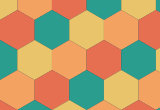
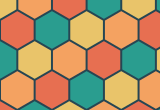

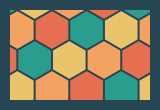
Margin
margin keeps a border clear along the region's edge and round any holes.
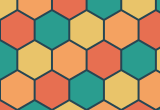
Rounded corners
cornerRadius rounds every corner. A corner too small for the full radius gets the largest radius that fits, so short edges and sharp corners stay tidy. SVG and canvas draw true arcs, and the HTML renderers approximate them in the clip-path.
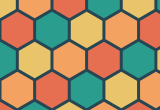
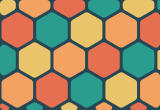
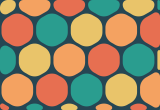
Rotation, origin and scale
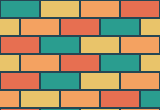
rotation: turns the pattern, in degrees.origin: shifts the pattern. For Penrose, the hat and the spectre it's the fixed center the pattern grows from.tileScale: scales the whole pattern, whatever its size settings are called. This is howfitsizes tiles to the content.
The random patterns and flow ignore rotation and origin.
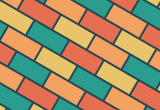
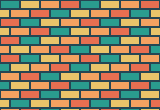
Slivers at the edge
Where the region's edge cuts a tile, a small piece can be left behind. minFill drops cut tiles smaller than that fraction of a whole tile.
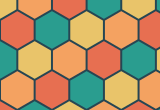
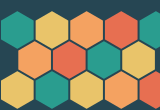
The code for these pictures:
ts
import { createLayout, hexagonal, runningBond, type LayoutOptions } from "@andamento/core";
import { renderToString } from "@andamento/svg";

const fill = ["#2a9d8f", "#e9c46a", "#f4a261", "#e76f51"];
const draw = (options: Partial<LayoutOptions>) =>
  renderToString(
    createLayout({ region: { x: 0, y: 0, width: 160, height: 110 }, tiling: hexagonal({ size: 20 }), ...options }),
    { fill, background: "#264653" },
  );

/** `gap`: the grout between tiles. */
export const gaps = () => ({ "gap-0": draw({ gap: 0 }), "gap-2": draw({ gap: 2 }), "gap-6": draw({ gap: 6 }) });

/** `margin`: a border kept clear along the region's edge. */
export const margins = () => ({ "margin-0": draw({ gap: 2, margin: 0 }), "margin-10": draw({ gap: 2, margin: 10 }) });

/** `cornerRadius`: rounded tiles (it shrinks to fit small corners). */
export const corners = () => ({
  "radius-0": draw({ gap: 3, cornerRadius: 0 }),
  "radius-4": draw({ gap: 3, cornerRadius: 4 }),
  "radius-12": draw({ gap: 3, cornerRadius: 12 }),
});

/** `rotation` (degrees) and `tileScale`. */
export const transforms = () => {
  const bricks = (o: Partial<LayoutOptions>) => draw({ tiling: runningBond({ width: 40, height: 18 }), gap: 2, ...o });
  return { "rotation-0": bricks({}), "rotation-30": bricks({ rotation: 30 }), "scale-half": bricks({ tileScale: 0.5 }) };
};

/** `minFill`: drop slivers at the edge smaller than this share of a tile. */
export const slivers = () => ({ "minfill-0": draw({ gap: 2, minFill: 0 }), "minfill-60": draw({ gap: 2, minFill: 0.6 }) });
All the options
| Option | Default | |
|---|---|---|
region | (required) | A rectangle { x, y, width, height } or a simple polygon. See Regions. |
tiling | (required) | The pattern spec. See Patterns. |
holes | none | Rectangles or polygons to leave empty. |
gap | 0 | Space between tiles. |
margin | 0 | Border kept clear along the region's edge and round holes. |
cornerRadius | 0 | Radius of every tile corner. |
rotation | 0 | Pattern rotation, in degrees. |
origin | region's top left | Where the pattern is anchored. |
edges | "clip" | "clip", "inside", "overflow" or "window". See Edges. |
minFill | 0 | Drop edge tiles smaller than this fraction of a tile. |
tileScale | 1 | Scale the whole pattern. |
features | none | Groups of tiles merged into bigger cells. See Featured tiles. |
sizeAt | none | Vary the tile size across the region. See Tile size by density. |
maxTiles | 20000 | A safety cap on the number of tiles generated. |