
Tile size by density
sizeAt varies the tile size across the region. It's a function giving the size wanted at each point, as a factor of the tiling's own size: 1 as given, 0.5 half as big, 2 twice as big. Use it for small tiles round a focal point, along the edges, or wherever a picture has detail.
ts
import { createLayout, edgeSize, gradientFill, grid, hexagonal, imageFill, imageSize, radialSize, voronoi } from "@andamento/core";
import { renderToString } from "@andamento/svg";
import { scenePixels } from "./shared";

const region = { x: 0, y: 0, width: 240, height: 160 };

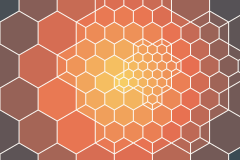
/** Small hexagons round a point, growing outwards. */
export function radial() {
  const layout = createLayout({
    region,
    tiling: hexagonal({ size: 22 }),
    sizeAt: radialSize({ center: { x: 150, y: 70 }, radius: 140, inner: 0.25 }),
    gap: 1,
  });
  return renderToString(layout, { fill: gradientFill(["#f6d365", "#e76f51", "#264653"], { shape: "radial" }), background: "#fbf8f3" });
}

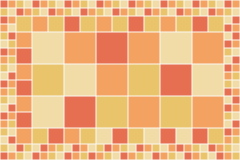
/** Small squares along the edges: a grid nests exactly, like a quadtree. */
export function edges() {
  const layout = createLayout({
    region,
    tiling: grid({ width: 32 }),
    sizeAt: edgeSize([{ x: 0, y: 0 }, { x: 240, y: 0 }, { x: 240, y: 160 }, { x: 0, y: 160 }], { distance: 40, edge: 0.25 }),
    gap: 1,
  });
  return renderToString(layout, { fill: ["#e76f51", "#f4a261", "#e9c46a", "#f1dca7"], background: "#fbf8f3" });
}

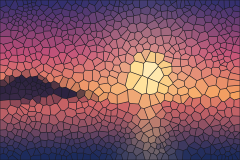
/** Small stones where a picture is dark, colored from the same picture: a mosaic. */
export function picture() {
  const pixels = scenePixels();
  const layout = createLayout({
    region,
    tiling: voronoi({ size: 12, seed: 2 }),
    sizeAt: imageSize(pixels, region, { dark: 0.35 }),
    gap: 0.6,
  });
  return renderToString(layout, { fill: imageFill(pixels), background: "#1b1b24" });
}
How the size changes
- Voronoi and Delaunay: the size changes smoothly. Sites are scattered more densely where tiles should be small, then evened out by density-weighted relaxation.
- Every other tiling: tiles are generated at the largest size wanted. Where tiles should be under about half that size, groups of them are replaced by the same tiling at half the scale, then again, down to the smallest size. A grid from the same origin nests exactly, like a quadtree. Other tilings are cut where a finer area meets a coarser one, and cut slivers are merged into a neighbor, so there are no crumbs or gaps.
Size fields
Three helpers make size fields, each easing smoothly between its two sizes:
| Helper | |
|---|---|
radialSize({ center, radius, inner, outer }) | inner (default 0.25) at center, growing to outer (default 1) at radius. |
edgeSize(region, { distance, edge, middle, holes }) | edge (default 0.25) along the outline and round holes, growing to middle (default 1) at distance in. region is a polygon. |
imageSize(pixels, box, { dark, light, invert }) | dark where the picture is dark and light where it's light (swapped with invert). The picture covers box like object-fit: cover. |
pixels is RGBA data, { width, height, data }, like a canvas ImageData. In a browser, await loadImagePixels(url) reads an image's pixels.
You can write your own field too: any (point) => number.
Everything else works on the result as usual: gaps, holes, features, content placement and hit testing. maxTiles still caps the count.