
What is Andamento?
Andamento splits a region into tiles and lets you put anything in them. The region can be a rectangle, an L-shaped wall, an arch or any other outline, with doors and windows cut out. The tiles come from one of 29 patterns: bricks, herringbone, hexagons, Penrose rhombs, the hat monotile, jigsaw pieces, random stones, rows of mosaic tesserae, or a tiling of your own. Each tile can then hold a photo, a video, a card, a button or a color.
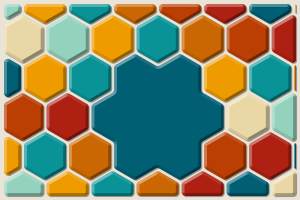
It's for photo walls and galleries, dashboards and card grids, decorative backgrounds, mosaics made from pictures, and floor and wall plans.
Andamento is the mosaicist's word for the flow of a mosaic: the way its rows of tesserae run and turn to follow the shapes of the picture. The library does that too (Andamento flow).
How it works
Everything starts with createLayout(options) in @andamento/core. It takes a region, a tiling and a few settings (the gap between tiles, a margin, rounded corners, how to treat tiles cut by the edge) and returns a layout: a plain object with a list of cells, one per tile, each with its polygon, bounding box, center, area, neighbors and a stable id.
The core is pure TypeScript with no DOM, so the same layout can be drawn in many ways:
| Package | What it does |
|---|---|
@andamento/core | Generates patterns and layouts, places content, fills, hit testing, keyboard navigation, CSS helpers. No DOM. |
@andamento/svg | Renders a layout to an SVG string or element, to a canvas, or to a PNG. |
@andamento/react | <TileLayout> (HTML tiles holding any children), <SvgTileLayout>, and hooks. |
@andamento/vue | The same components for Vue 3. |
@andamento/dom | mountTileLayout() for plain DOM, and the <andamento-layout> web component for Angular, Svelte, Solid, Lit or plain HTML. |
The HTML components place each tile as an absolutely positioned element clipped to its shape with CSS clip-path, sized in percentages so the layout scales with its container. Your content stays ordinary HTML: images, videos, forms and buttons work as usual, and pointer events follow the tile shapes.
Where to go next
- Getting started: install a package and draw your first layout.
- Layouts and cells: what a layout contains and how content is assigned.
- Patterns: every tiling, with a picture and its settings.
- Examples: finished pieces, each with the code that drew it.
- Playground: try every option live.